ZpingApp 100% FREE
Is your Wi-Fi acting slow? Automatically monitor and troubleshoot your connection in the background.
Download App (APK)Features & Specifications
- Completely Free Android App: No ads, no hidden fees, and no in-app purchases. Enjoy a fully open and unrestricted utility.
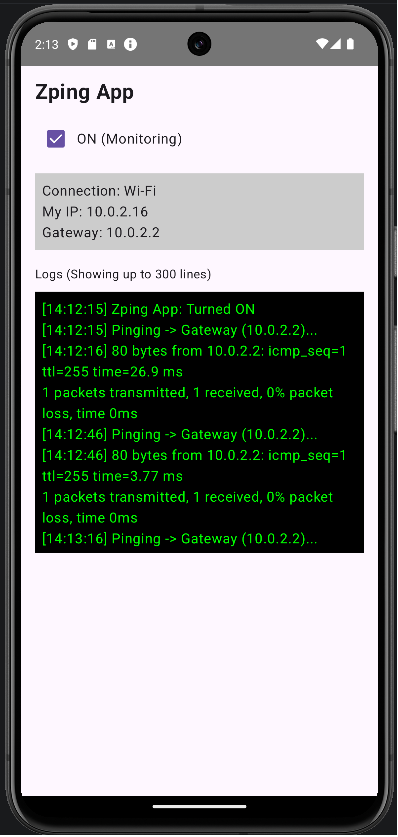
- Automatic 30-Second Ping Monitor: As long as you are connected to a Wi-Fi network, the app automatically pings your default gateway (router) every 30 seconds.
- Smart Battery & Data Saving: Pinging automatically stops when you disconnect from Wi-Fi (e.g., when switching to Mobile Data, LTE, 4G, or 5G). This prevents unwanted data usage and unnecessary battery drain.
- Zero Configuration Required: The app detects your gateway IP address automatically—no complex manual setup needed.
- 2-Hour Log History: Keeps up to 300 lines of recent ping logs, automatically replacing the oldest entries as new ones arrive.
- Detailed Latency Tracking: Logs are recorded with precise "Hour:Minute:Second" timestamps along with the actual ping response times.
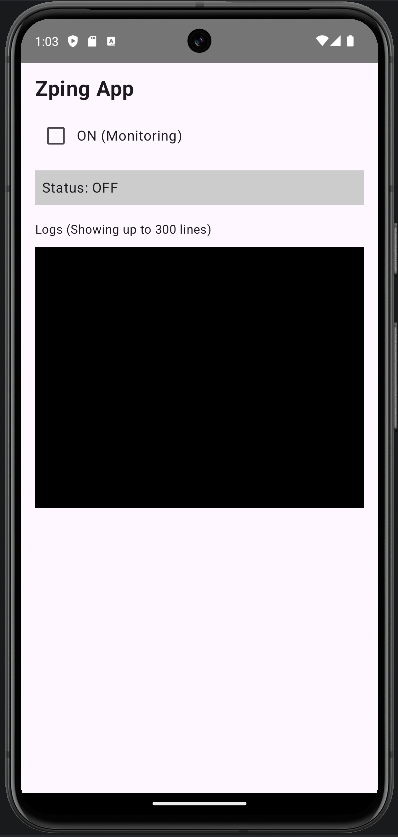
- Simple One-Tap Operation: Designed with zero bloat. It features just a single ON/OFF toggle switch.
- Complete Standby Mode: When turned "OFF", the app stays completely dormant and consumes zero system resources. It runs quietly in the background only when switched "ON".
⚠️ Important Notice Regarding Installation (Sideloading)
Because this utility continuously monitors network connectivity in the background, Google Play Store's automated policies are extremely restrictive. To avoid these restrictions, ZpingApp is released as a standalone APK file (sideloaded application) rather than through the Play Store.
During installation, your Android system will display a security warning regarding apps from unknown sources. Rest assured, ZpingApp is completely safe, secure, and lightweight. To complete the installation, simply tap "Details" or "More Info" on the warning dialog and select "Install Anyway."
Ideal for Islighting Wi-Fi Performance Issues
Perfect for users who experience sudden, random slowdowns on their home or office Wi-Fi networks and want to isolate the root cause.
- Is the ping failing with a "Request Timeout"?
- Has the latency response time (ms) spiked abnormally?
Knowing your local Wi-Fi is performing optimally allows you to confidently troubleshoot your actual internet service provider (ISP), fiber line congestion, or remote server issues.
Screenshots